Run live trainings in the terminal without losing participants.
ShellRoom turns one prepared Linux server into a complete environment for hands-on online courses. Participants connect through their browser. Trainers see who is stuck, join a participant’s terminal instantly, and keep the session moving.
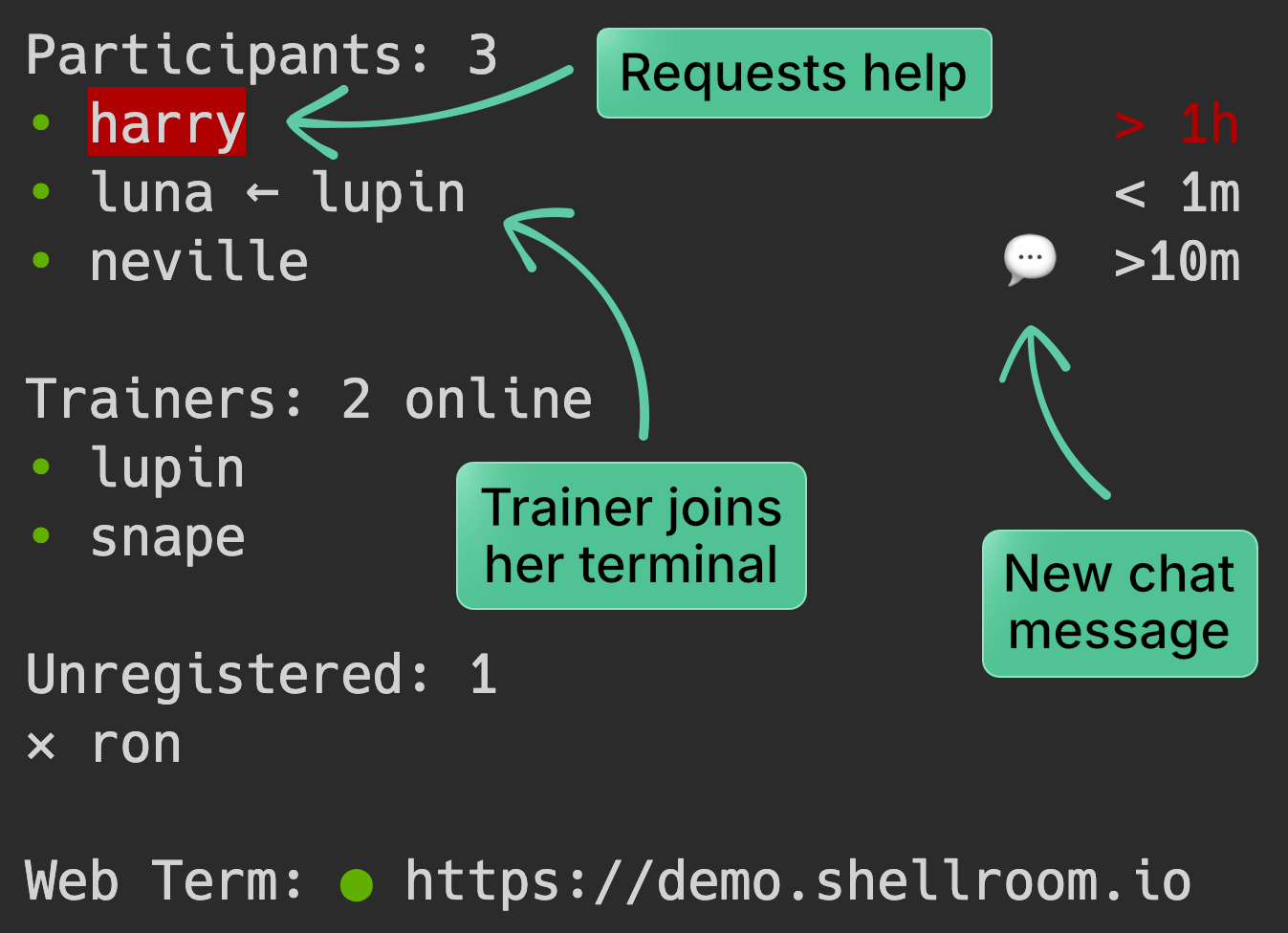
Help stuck participants immediately
Participants can request help, and trainers can respond directly in their terminal instead of troubleshooting over screen share.
See who needs attention at a glance
Know who is online, active, idle, disconnected, or may need support without relying on Zoom alone.
Launch a full training session without the setup headache
Prepare one Linux environment, set up the session in minutes, and invite participants with a link.
Run a live terminal lab in four steps
Prepare one Linux server
Set up a temporary VPS or existing Linux server with the tools, datasets, and exercises for your course.
Add participants and trainers
Import your user table, and let ShellRoom create the training environments for each person.
Start the session and share the link
Participants join from their browser. Trainers get the dashboard and support tools to monitor and help.
Teach live while ShellRoom powers the hands-on training
Teach as usual in Zoom or other video conferencing tools while ShellRoom runs the hands-on terminal environment.
Stay focused on teaching, not on training logistics
ShellRoom combines live trainer controls with the operational details needed to run technical training smoothly.
Fast trainer controls
Quickly check participant status and jump into a terminal with minimal key presses.
Share files and live outputs
Let participants open or download files, and follow live-generated images directly in the browser.
Secure and reliable access
End-to-end encryption and a globally distributed network keep sessions protected and responsive.
Free up to 5 users. Upgrade for larger trainings.
- Up to 5 users
- Auto-generated subdomain
- Up to 2 days per session
- Up to 20 users
- Custom subdomains
- 1 concurrent session
- Up to 10 days per session
- Up to 60 users
- Custom subdomains
- 2 concurrent sessions
- Up to 30 days per session
Users = participants + trainers · Monthly billing · Cancel anytime
Need a different plan or customizations? Contact us.
Frequently asked questions
Who is ShellRoom for?
Do participants need to install anything?
Where does the training environment run?
Do I need root access on the server?
Can I try ShellRoom locally without a VPS?
What happens when a session reaches its maximum duration?
Does this replace video conferencing tools like Zoom?
How is this different from JupyterHub?
Try a live training session
Run ShellRoom locally and explore both sides of a simulated hands-on training: the participant view and the trainer dashboard.